
How to Create a New Tenant in Azure
You can create multiple tenants after your default tenant has been created once you sign up for Azure subscription.
Step 1: Type Azure Active Directory in the top search bar

Step 2: Click on Manage Tenant.

Step 3: From the left top > click > Create.
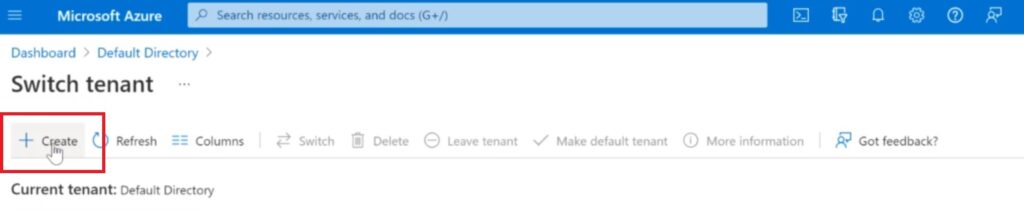
Step 4: Select Azure Active Directory

Step 5: Type your organization name and Domain > Click > Next -Review -Create
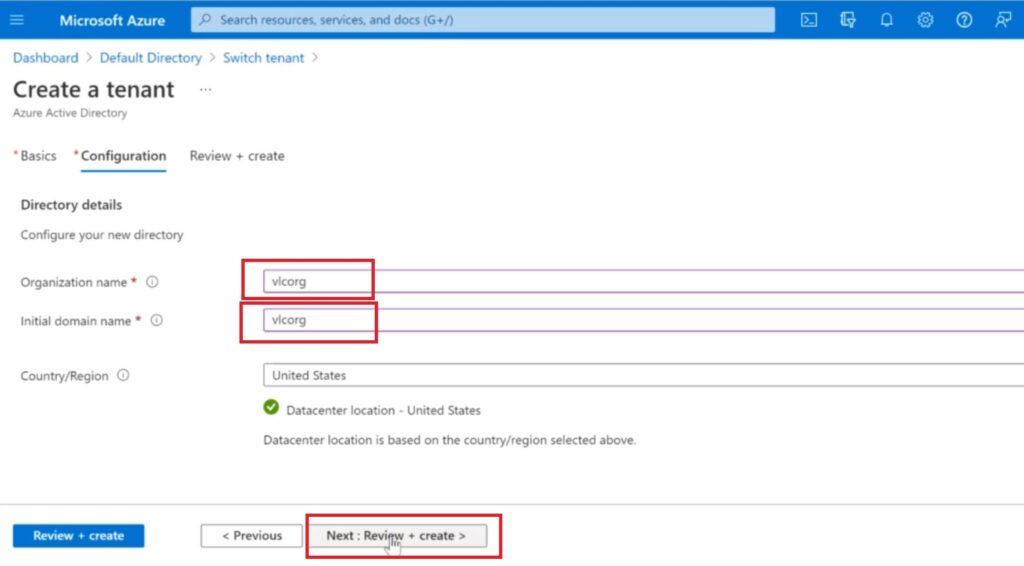
Step 6: Once Confirmed your Organization and Domain Name > Click Create at the bottom

Now click on Azure Active Directory > Click Manage Tenants > Here you will see all your tenants.

Khurram
Cool thanks for sharing.
Mustafa
Very informative. I Learned so much reading it.